What is MandoScribe?
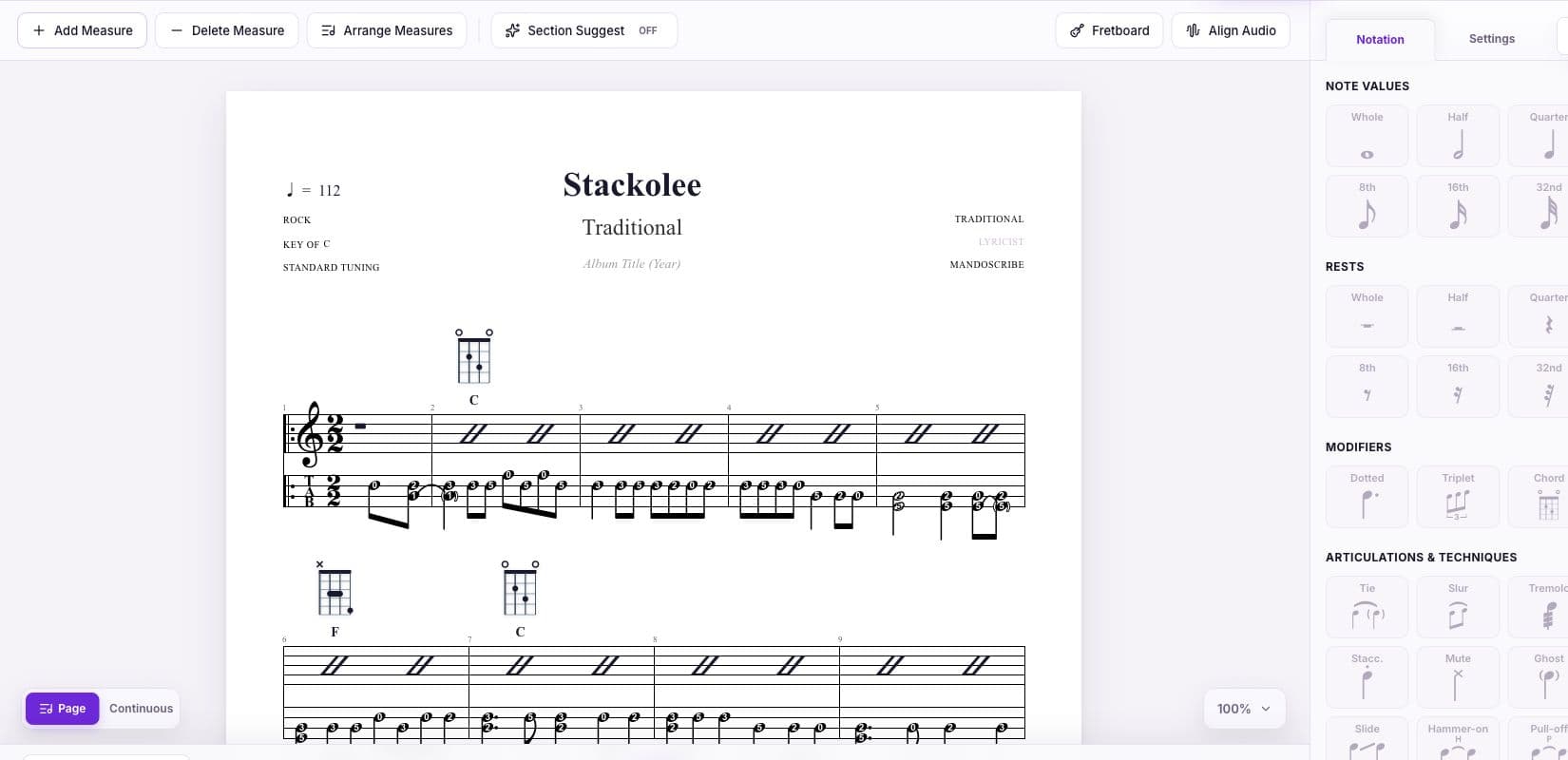
MandoScribe is a mandolin-first notation, transcription, and practice workspace. It is made for creating the kinds of music mandolin players use every day: lead sheets, slash chord charts, standard notation, mandolin tablature, chord diagrams, and lyrics.
The important difference is not simply that MandoScribe can display four-string TAB. Its editor, chord library, playback, fretboard tools, and learning resources begin with standard GDAE mandolin tuning. That removes much of the setup required when a general-purpose notation program treats mandolin as an afterthought.
MandoScribe runs in the browser and can be installed as a web app on supported devices. The Song Library and shared scores work well on mobile; the full Editor currently offers its most complete experience on a desktop with a keyboard and mouse.
Why mandolin-first design matters
Mandolinists think in paired courses, movable chord shapes, open strings, fifths-based tuning, pick direction, and positions that must be comfortable on a short scale neck. A theoretically correct note or chord is not always the most playable choice.
MandoScribe keeps those physical realities close to the score. Chord shapes can be viewed and adjusted while arranging, TAB is mapped to mandolin strings, and playback lets you hear the result before printing or sharing it. This is useful whether you are writing a simple jam-session chart or preparing a detailed solo arrangement.
Notation, TAB, chords, and lyrics in one editor
The MandoScribe Editor can show slash notation, mandolin TAB, or both together. A score can combine chord names, rhythmic slashes, fretted notes, standard staff notation, lyrics, and chord diagrams, so one document can serve rhythm players, melody players, singers, and students.
Rhythm and score structure
Notes and rests support common durations, dots, ties, and tuplets. Scores can include key and time signatures, tempo, rehearsal marks, repeat barlines, first and second endings, and navigation such as segno, coda, and Fine. Layout controls help organize measures into readable rows and pages.
Mandolin articulations
TAB can communicate more than fret numbers. MandoScribe supports expressive details such as tremolo, staccato, muted and ghost notes, harmonics, slides, hammer-ons, pull-offs, and per-course ties. Dynamics, sustain, strumming, and tempo changes help the written arrangement describe how it should feel as well as what notes to play.
A mandolin chord library and fretboard tools
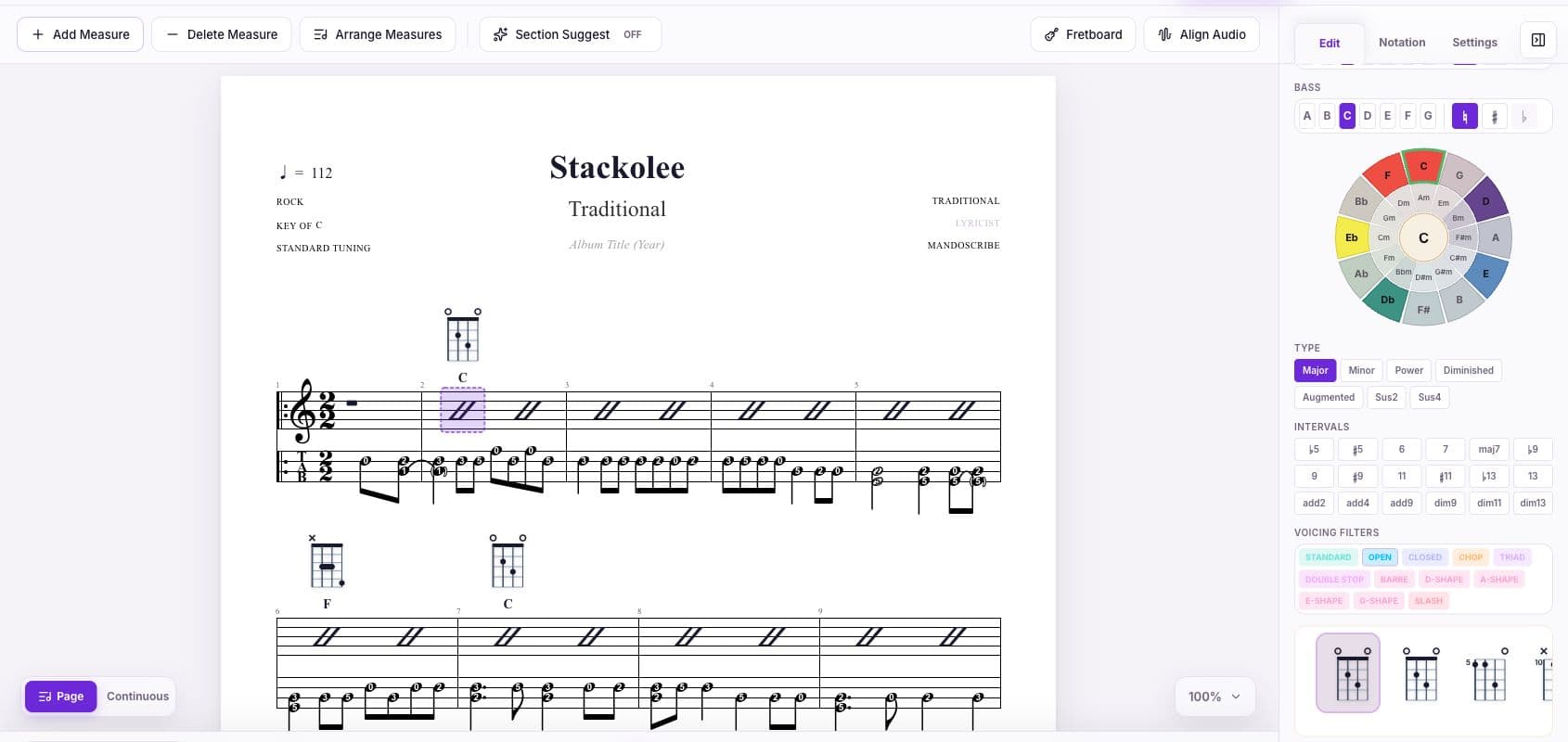
Chords are central to bluegrass, folk, old-time, Celtic, country, jazz, and singer-songwriter mandolin playing. MandoScribe includes ready-made mandolin voicings and lets you search by root, chord type, interval, bass note, and voicing. A playable shape can be inserted directly into the score as a chord diagram.
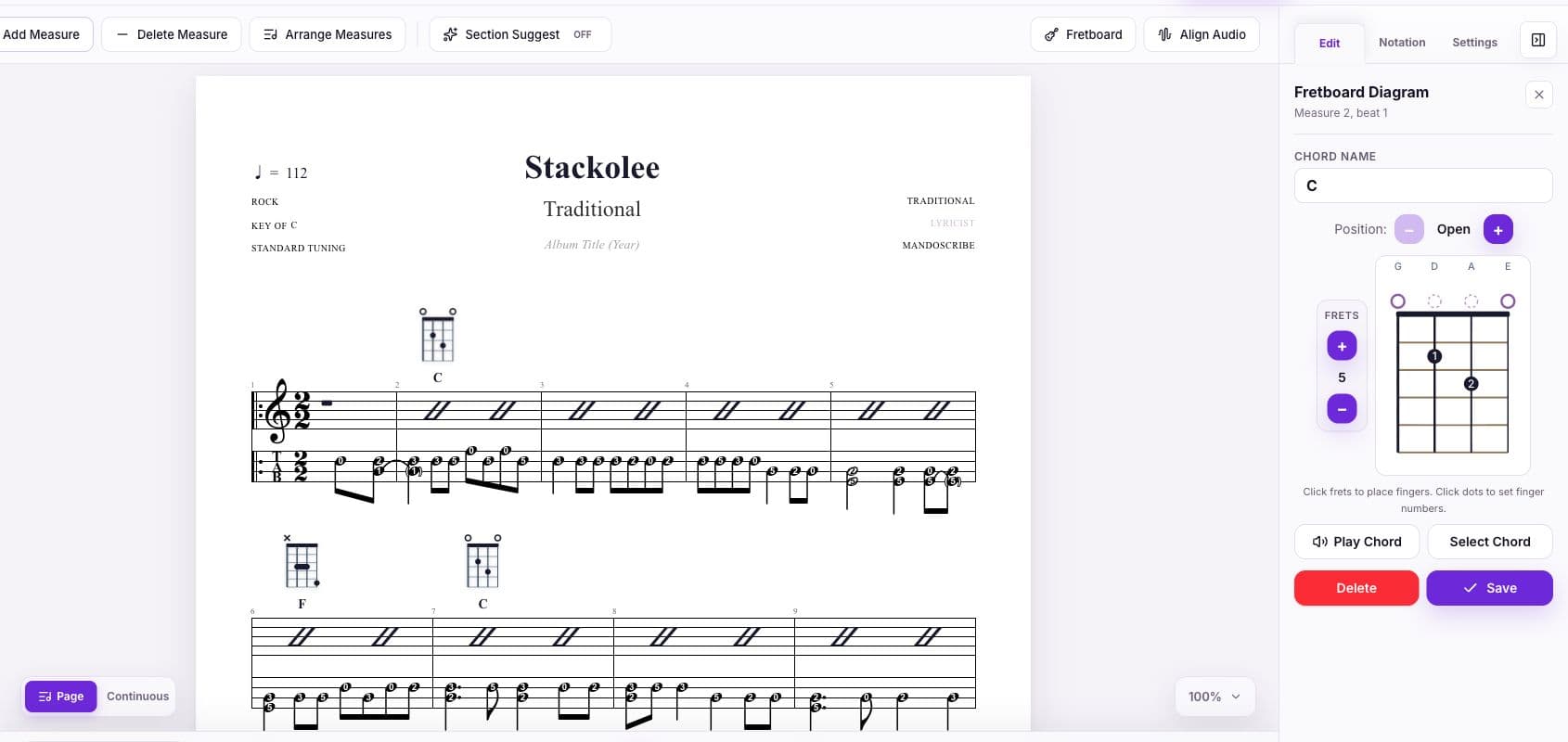
When a stock fingering is not the right fit, the Fretboard Editor lets you adjust frets, fingers, barres, and positions. That is especially valuable for teachers adapting a chord to a student, players avoiding an uncomfortable stretch, or arrangers choosing a voicing that moves smoothly from the previous chord.
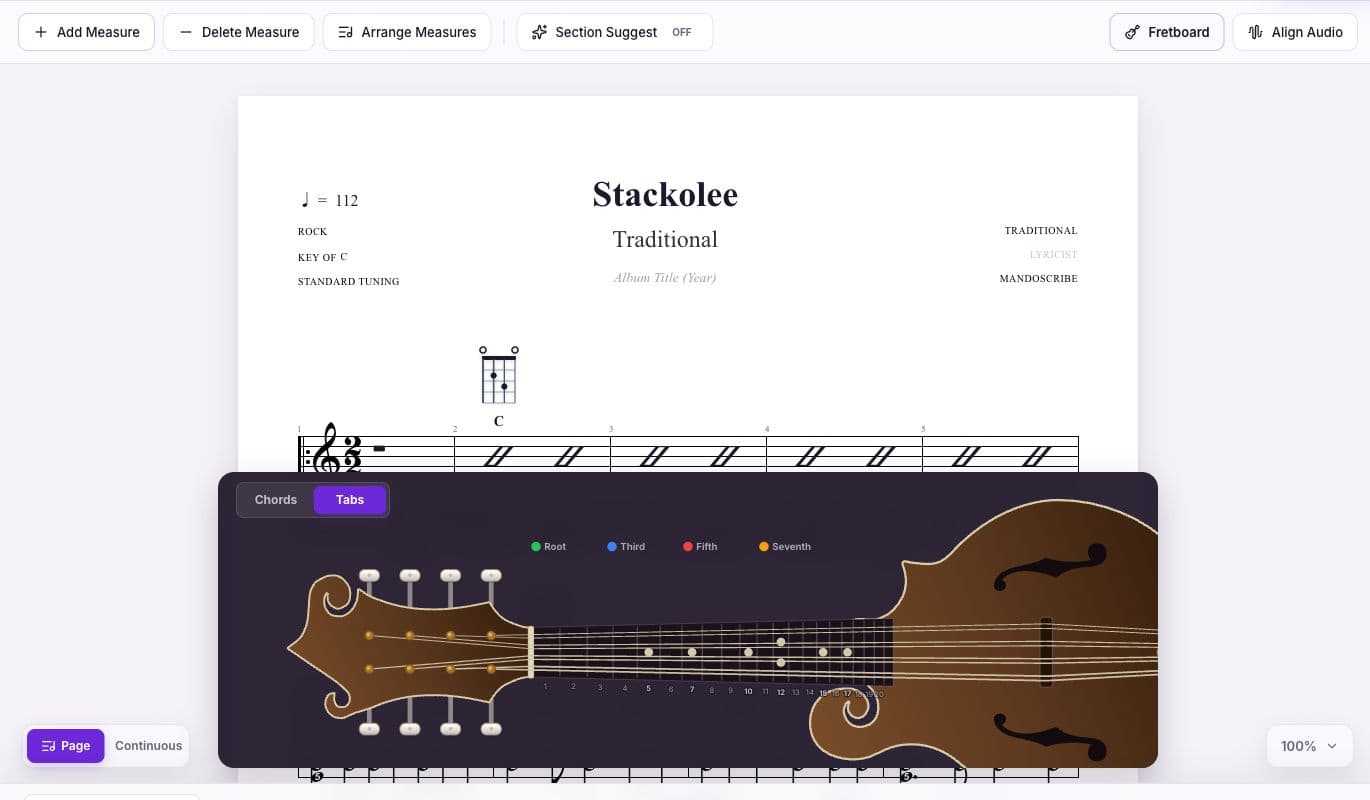
Campfire's free Next Chord Suggestions use a compact local transformer to highlight likely harmonic moves inside the chord wheel. Studio Pro's NOVA Section Suggest can draft a possible whole-section continuation in context. Both are optional aids: the player decides what belongs in the song and can ignore or disable every suggestion.
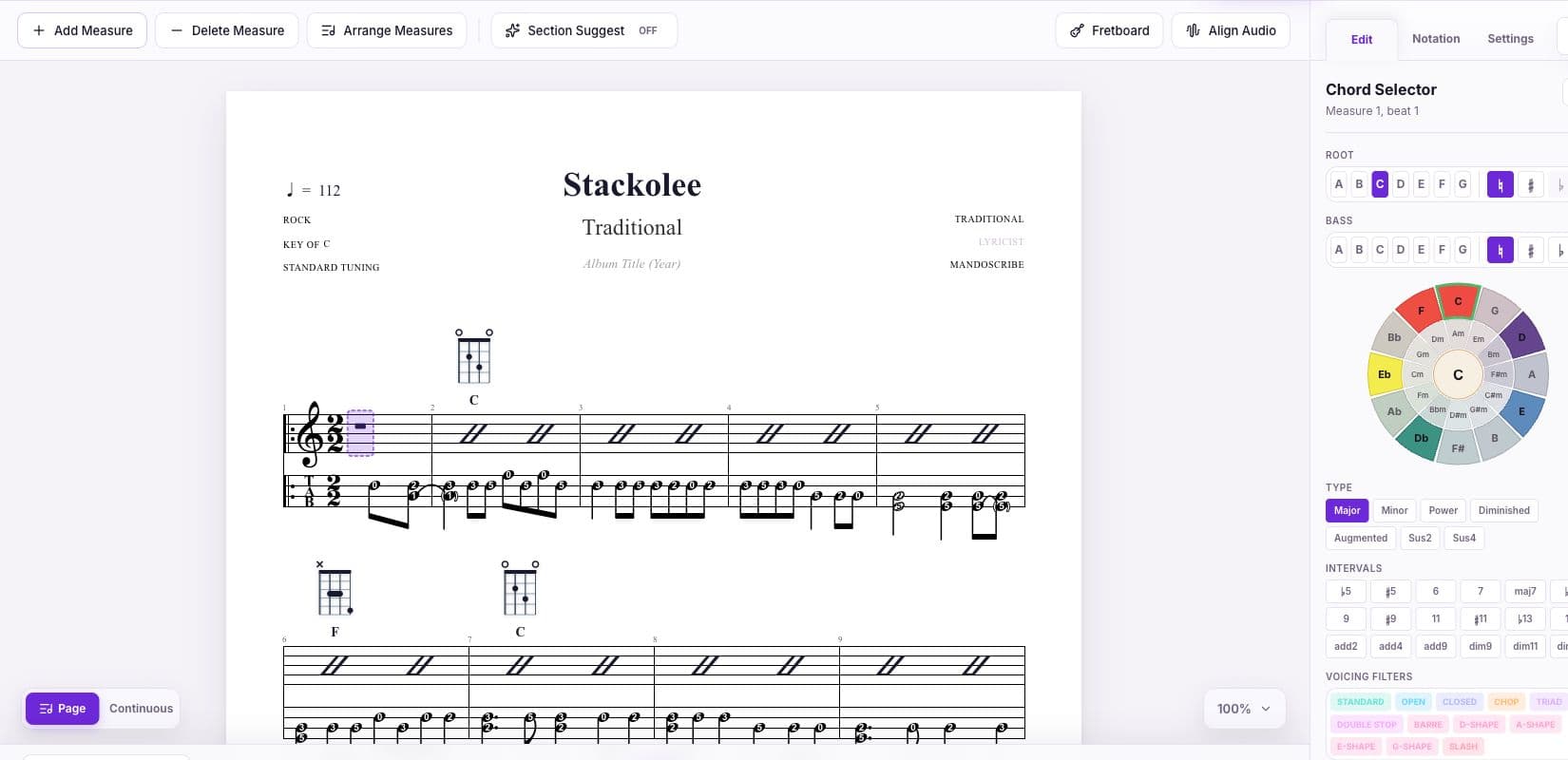
Transcribe recordings without losing your place
Transcribing usually means repeatedly switching between an audio player and a score. Studio Pro can import a recording and align it to the measure grid. The audio and notation then stay connected while you listen, enter chords, and work out TAB phrase by phrase.
Existing notation can also provide a head start. Campfire can import MIDI, while Studio Pro adds JSON, ABC, and MusicXML import. ABC and MusicXML are useful for exchanging traditional notation, while MIDI can bring a selected melodic track or channel into mandolin TAB. Because MIDI does not reliably contain chord symbols or idiomatic fingerings, imported music should still be reviewed by a player.
Hear the score and turn it into a practice session
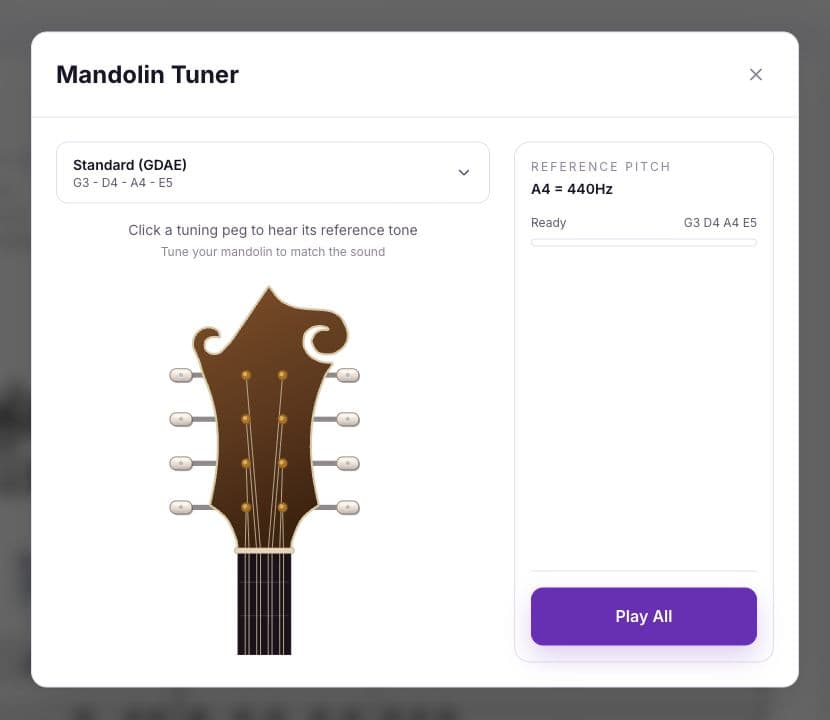
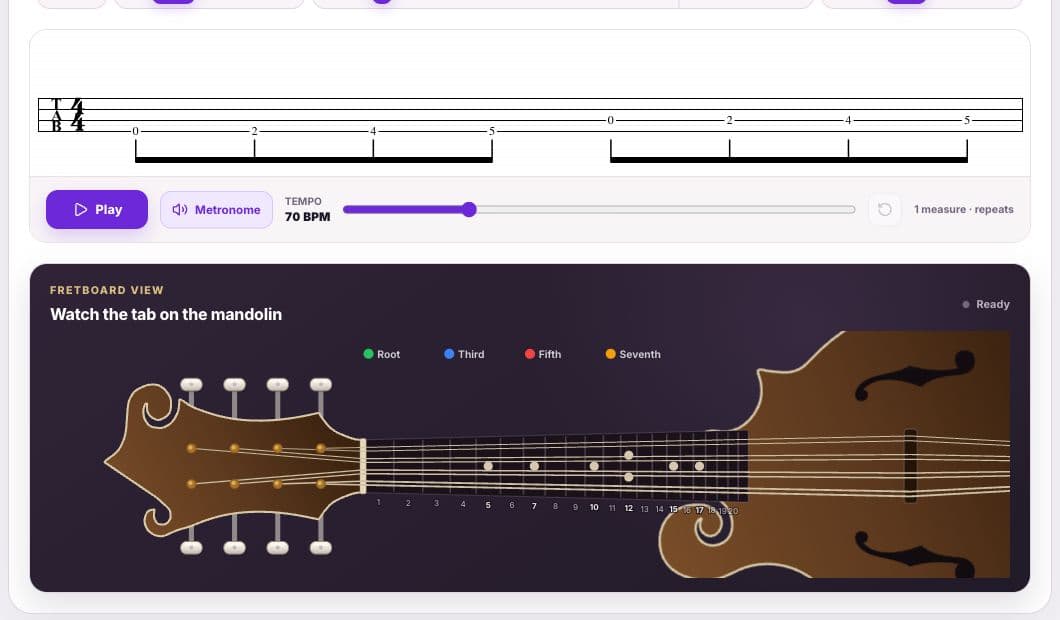
Playback makes notation immediately testable. MandoScribe can play scores with built-in mandolin sounds or synth voices while following the current position. A metronome, count-in, looping, tempo controls, transport navigation, volume, and reference tuner tones support both proofreading and deliberate practice.
The separate Practice workspace offers guided, interactive material for beginners through advanced players. Exercises cover major and minor scales, modes, pentatonic and blues collections, arpeggios, open-chord changes, and common progressions. Players can change the root, direction, octave, progression, and tempo while reading TAB and chord diagrams.
Learn from the public Song Library
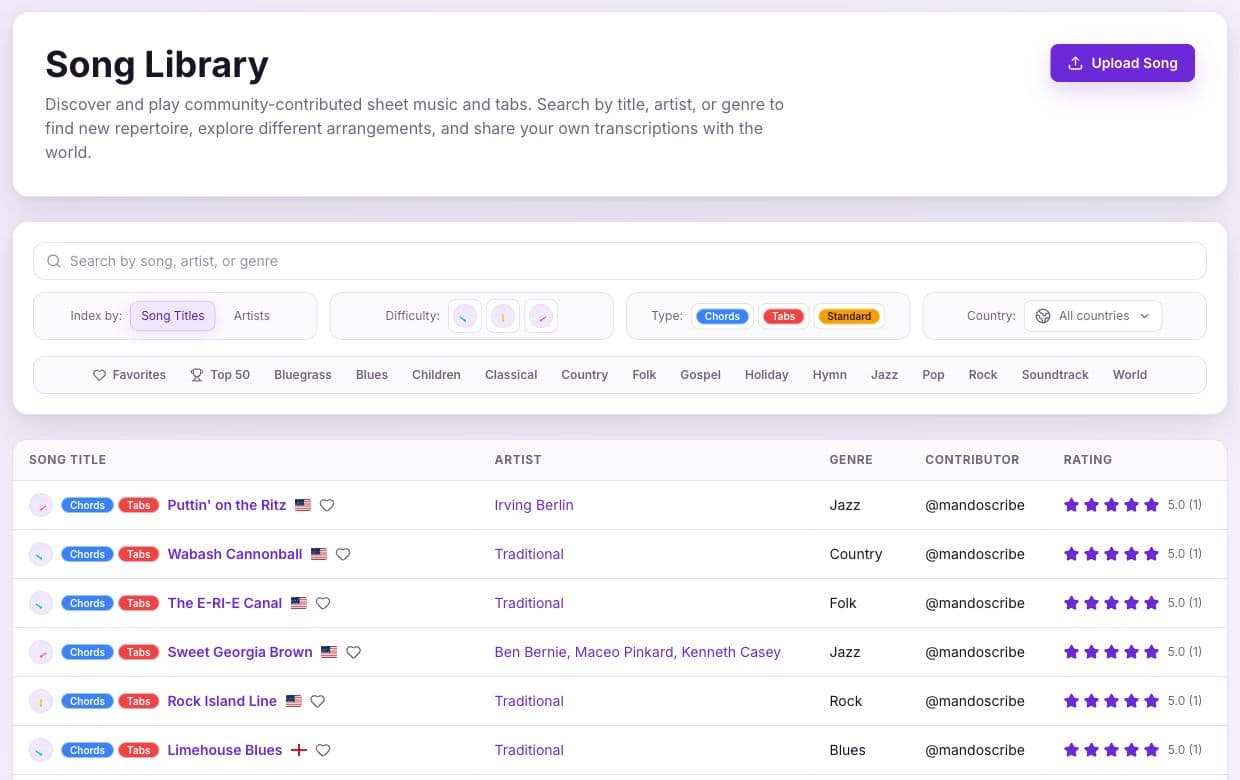
The MandoScribe Song Library is a searchable collection of community-contributed mandolin tabs, chord charts, and standard notation. Visitors can browse by title, artist, or genre, open an individual arrangement, hear playback, and follow the score online.
Registered members can save favorites, rate and discuss arrangements, download eligible PDFs, and open a public song as a copy in the Editor. For learners, that turns a static library into material that can be studied and adapted. For arrangers and educators, publishing makes it possible to share useful mandolin-specific work with the wider community.
Keep projects private, then share or publish intentionally
Songs saved in My Songs are private by default. Projects can be autosaved, renamed, pinned, favorited, reordered, moved to a recoverable trash area, and reopened for further editing. Nothing enters the public Song Library unless the author chooses to publish it.
When a score is ready for someone else, it can be shared by link or published to the Song Library. Studio Pro also exports PDF, JSON, ABC, MusicXML, and MIDI. PDF is suited to rehearsal and printing; the notation formats make it easier to continue work in other compatible tools or preserve a portable source copy.
Who is MandoScribe useful for?
Mandolin players
Write gig-ready chord charts, capture original tunes, arrange solos, test fingerings, and keep a personal repertoire organized.
Learners
Connect notation to the fretboard, slow practice down, loop difficult passages, hear rhythms, and work through structured lessons.
Educators
Create readable exercises and arrangements with TAB, staff notation, chord diagrams, lyrics, playback, and shareable links for different learning styles.
Transcribers and arrangers
Align source audio, move material in through common notation formats, refine mandolin playability, and export clean deliverables.
Bands and jam leaders
Prepare concise chord-and-lyric sheets, rehearse with playback, and distribute one web link instead of managing multiple file versions.
Songwriters
Capture progressions quickly, try mandolin voicings, use optional harmonic suggestions, and hear a developing structure while writing.
A practical MandoScribe workflow
- 1
Start with the source
Create a blank score, copy a public arrangement, import notation, or align a recording to the measure grid.
- 2
Set the musical frame
Choose the title, artist, key, time signature, tempo, display mode, and page layout.
- 3
Build the arrangement
Enter chords, slash rhythms, TAB, lyrics, chord diagrams, repeats, markings, and articulations.
- 4
Check the instrument
Use the chord library and fretboard tools to choose shapes that are comfortable and connect smoothly.
- 5
Listen and practice
Play the score, use a count-in and metronome, loop difficult sections, and correct anything that does not sound or feel right.
- 6
Deliver it
Keep the project private, send a share link, publish it to the Song Library, or export the format the next musician needs.
What is free, and what does Studio Pro add?
The free Campfire plan includes the core editor, a basic chord library, tuner and metronome, MIDI import, Next Chord Suggestions inside the chord wheel, and up to five saved songs. Studio Pro adds the full chord library, unlimited songs, NOVA Section Suggest for whole sections, JSON, ABC, and MusicXML import, audio alignment, notation exports, and the Fretboard Editor.
The right plan depends on the work. A learner making a few charts can begin free; a teacher, arranger, or frequent transcriber is more likely to benefit from unlimited projects, custom fretboard work, and exports. The current comparison is always available on the MandoScribe pricing page.